Async/await makes asynchronous programming in .NET simpler, cleaner, and easier to reason about. Once we understand how it works, it becomes a powerful tool for improving thread utilization, application throughput, and responsiveness.
In this post, I’ll walk through the problem async/await solves, clarify what it does and does not do, and share a few best practices for using it effectively.
This article is intended as a conceptual introduction, not a deep dive.
The Problem: Synchronous Blocking
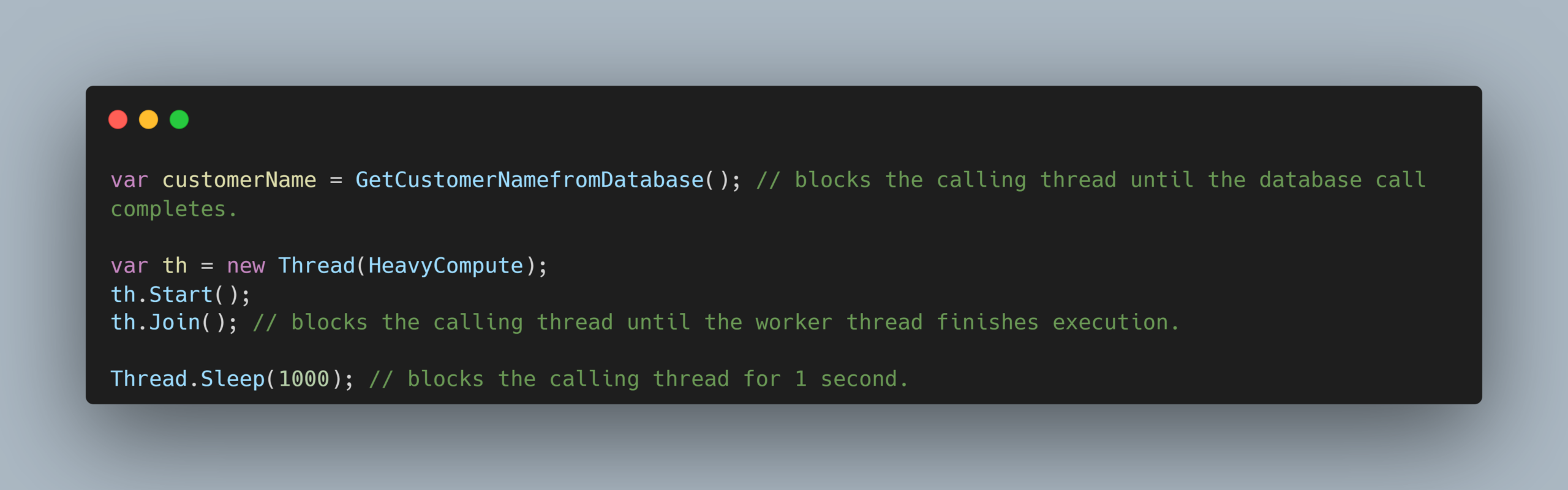
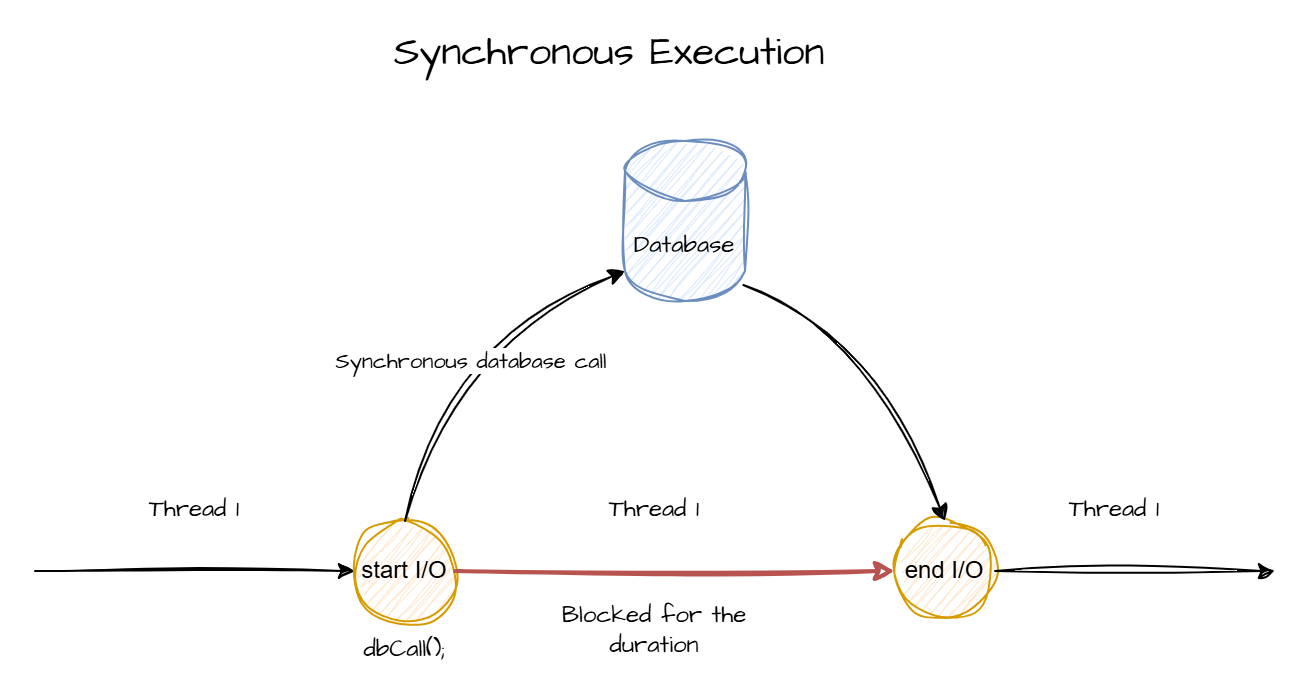
During synchronous execution, when the application waits for an operation like a database call, HTTP call, file read/write, or background CPU work to complete, the calling thread stays blocked.
While blocked, that thread cannot do any other work. This leads to poor thread utilization, higher resource usage, and reduced application throughput or responsiveness.
Async/Await to the rescue
Task and the Task Parallel Library (TPL) introduced higher-level abstractions that simplified parallel and asynchronous programming in .NET. Async/await, introduced later, further simplified working with Task by making asynchronous continuations easier to write, read, and maintain.
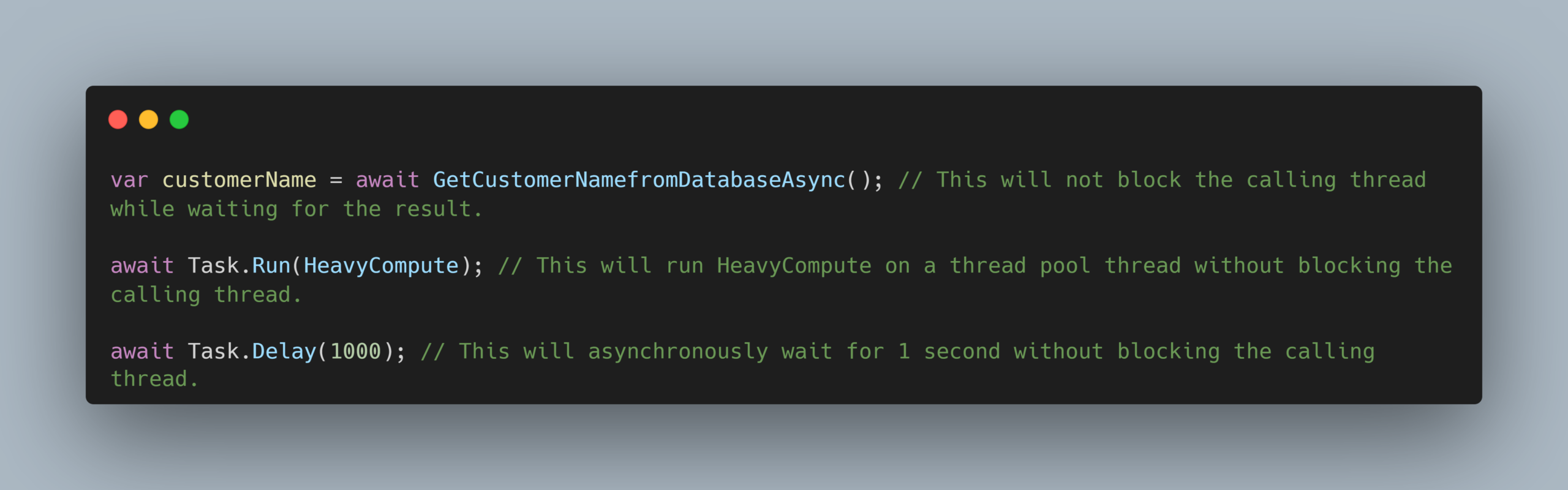
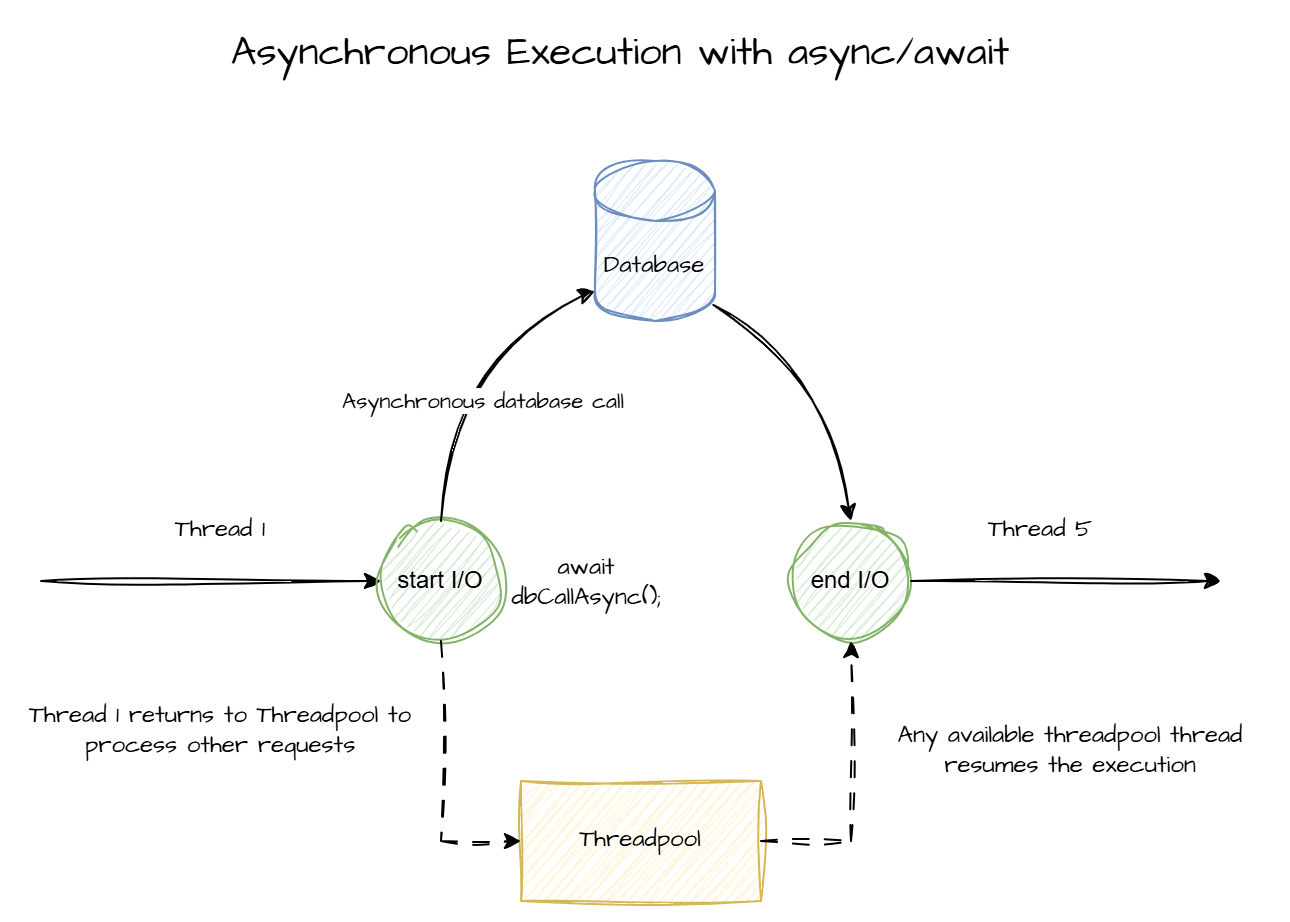
At its core, async/await enables non-blocking execution. When an awaited Task has not yet completed, the calling thread is released instead of being blocked and is free to process other work. Once the Task completes, execution resumes, typically on a thread pool thread or on the original context if one exists.
While applicable to CPU-bound work, async/await shines brightest during I/O operations (database queries, HTTP requests, file operations). Because the actual work happens outside the application process, freeing the thread prevents system resources from being wasted on idle waiting.
What Async/Await is not
- Async/await is not a performance booster for a single request. If a database query takes 2 seconds to execute, making it asynchronous will not make it finish in 1.5 seconds. In fact, due to the minor overhead of managing the asynchronous state machine, it might technically take a fraction of a millisecond longer.
Asyncis about scalability and thread efficiency, allowing the system to handle thousands of other requests while that 2-second dependency resolves. - Async/await is not parallel execution. It doesn’t split your code to run on multiple CPU cores at the same time. Instead, an
asyncmethod runs normally on the starting thread until it hits its first trueawaitpoint. Only then does it release the thread. While the continuation might resume on a different threadpool thread, the execution flow remains strictly sequential. - Async/await is not fire-and-forget. It only becomes fire-and-forget when the task is intentionally not awaited. Otherwise, the execution flow is logically paused until the awaited operation completes, similar to synchronous code, but without blocking the calling thread.
Practical Benefits
- In Web APIs, when used correctly,
async/awaitcan significantly improve throughput by releasing threads while I/O operations are in progress. Those freed-up threads can then process other incoming requests instead of sitting idle.
- In desktop applications,
async/awaitimproves responsiveness by preventing the UI thread from being blocked during I/O or background operations. This keeps the interface interactive while the work continues in the background. - In background jobs,
async/awaithelps make better use of threads and resources, allowing the application to do more concurrent work with fewer threads.
Best Practices
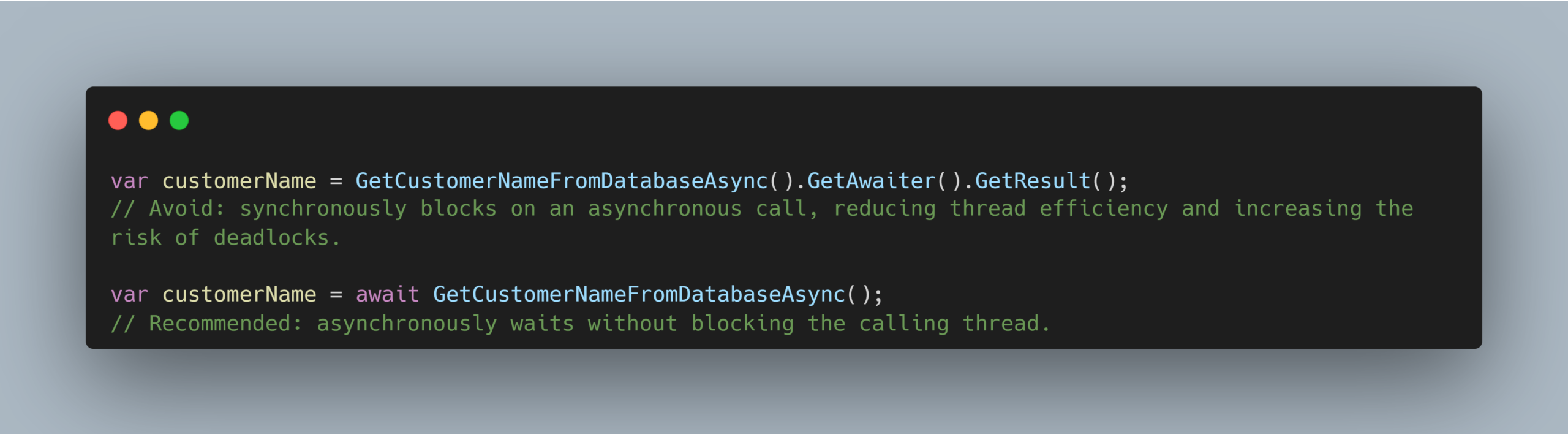
- Go async all the way.
Mixing synchronous blocking with asynchronous code defeats the non-blocking benefit and can introduce deadlock risks, especially when a synchronization context is involved.
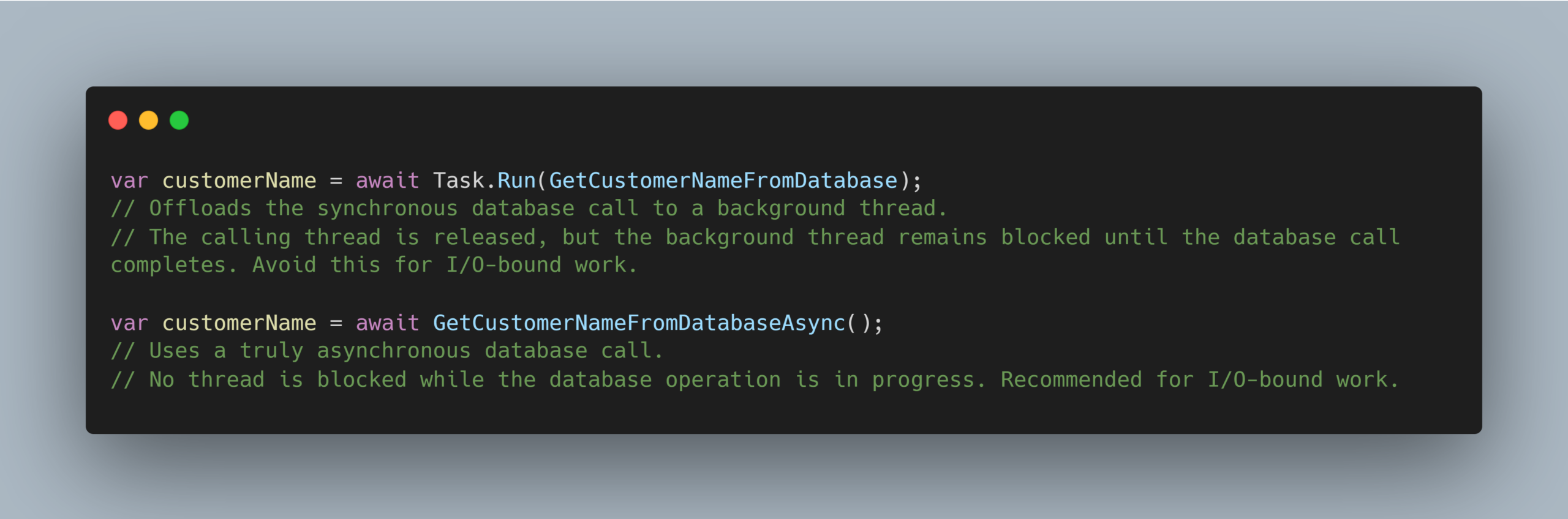
- Prefer truly asynchronous APIs over wrapping synchronous calls.
Wrapping a synchronous call in async code, such asawait Task.Run(syncDbCall), is not the same as calling a truly asynchronous API such asawait asyncDbCall. Wherever feasible, refactor synchronous I/O calls to their asynchronous equivalents and keep the execution async all the way.
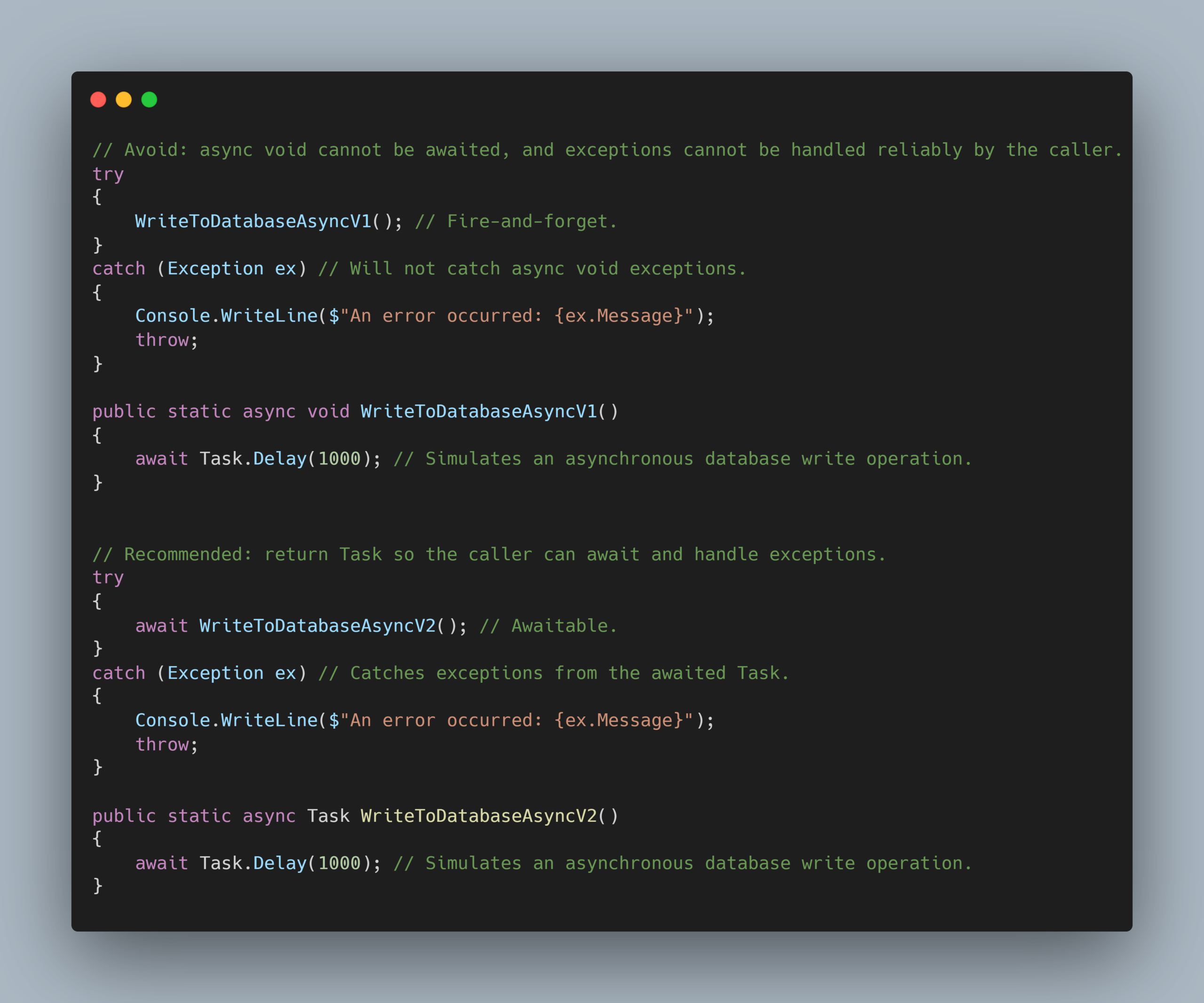
- Return
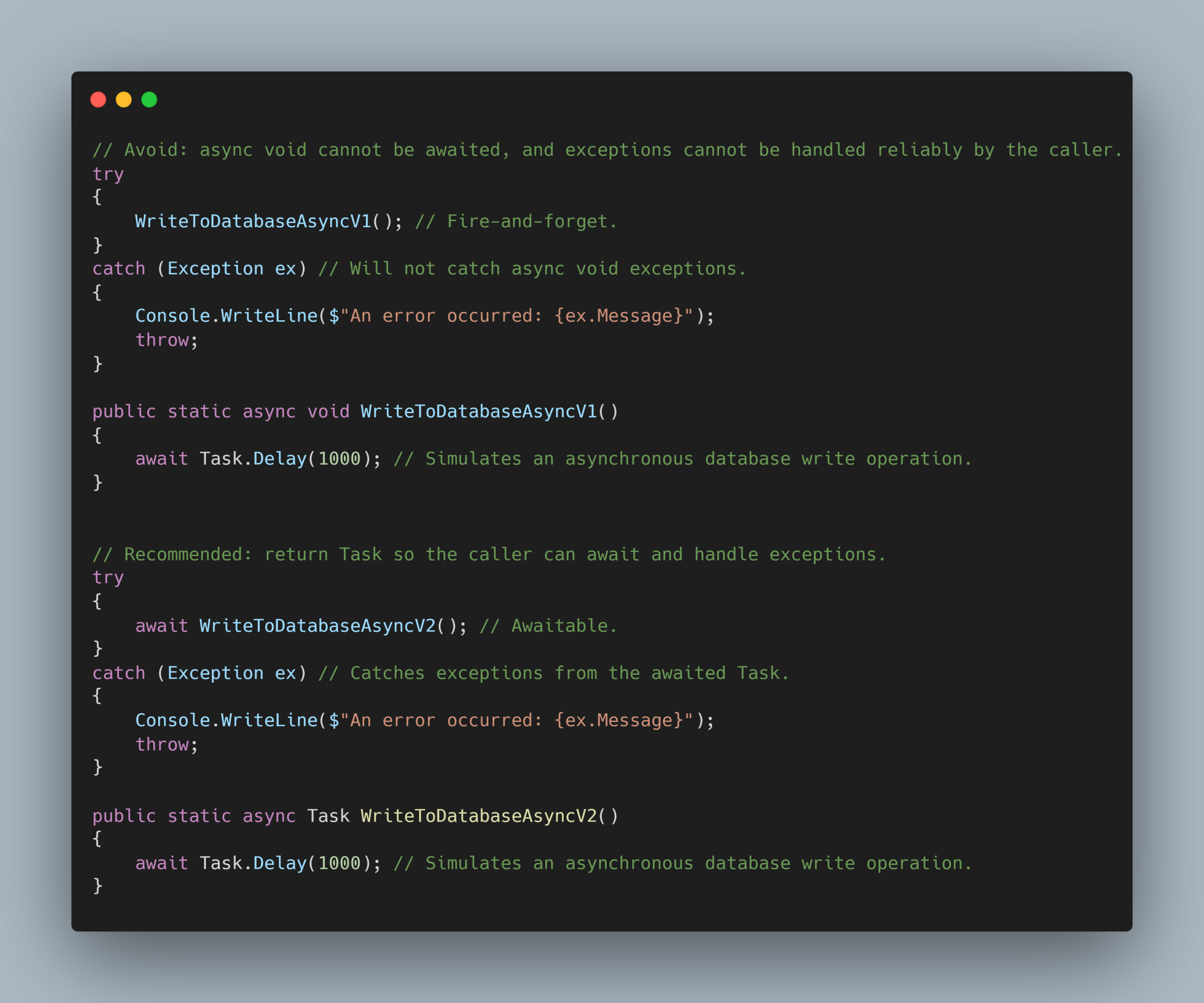
Taskinstead ofasync void.
Avoidasync voidexcept for event handlers. ReturningTaskallows callers to await the operation, observe exceptions, and track completion properly. This makes the asynchronous flow easier to handle and reason about.
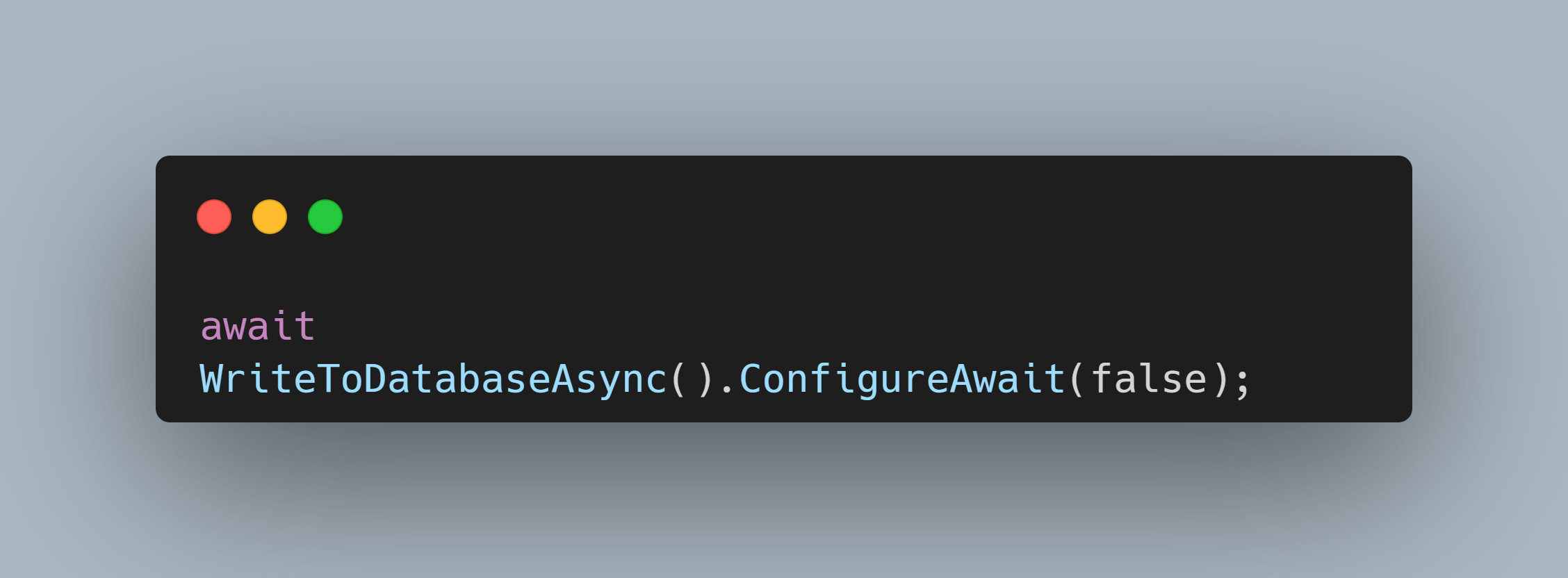
- Use
ConfigureAwait(false)in library code where appropriate.
In reusable library code, preferConfigureAwait(false)when the continuation does not depend on the original context. This allows execution to resume on any available thread pool thread and helps reduce deadlock risks in applications that accidentally block on asynchronous calls.
- Prefer returning the
Taskdirectly when no additional processing is needed.
If an asynchronous call’s result is only being returned and not processed within the method, return theTaskdirectly instead of addingasyncandawait. This avoids unnecessary state machine overhead and makes the method’s intent clearer. Useasync/awaitwhen you need post-await processing, exception handling, or cleanup logic tied to the awaited operation.
Summary
In essence, async/await is about freeing the calling thread while an awaited operation is still in progress. I see it not as a nice-to-have, but as an essential pattern, especially for I/O-heavy applications that need high scalability and responsiveness.
Used well, it helps applications avoid wasting threads while waiting on external operations, making better use of system resources and improving overall throughput.
Leave a Reply